All Your AI Image Tools in One Place
Generate stunning AI artwork, restore damaged photos, create passport photos, remove backgrounds, erase unwanted objects, and make beautiful silhouettes—all online with RGBKit.
AI Tools That Turn Simple Photos into Amazing Results
Every great photo starts with an idea, but not every image turns out the way you imagined. Sometimes you need to generate a brand-new image, restore a treasured family photo, remove a distracting object, or prepare a perfect passport picture. RGBKit brings together powerful AI image tools that make these tasks simple, fast, and accessible to everyone. Whether you're a student, designer, marketer, content creator, or someone preserving family memories, our AI works behind the scenes so you can focus on creativity instead of complicated editing.
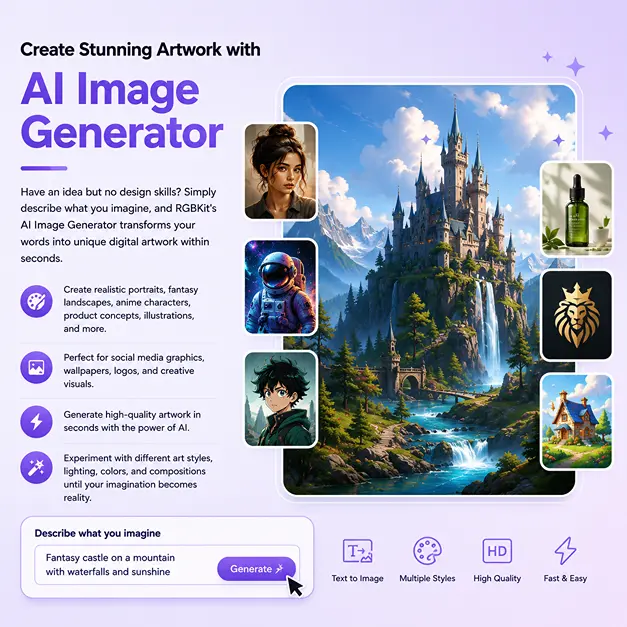
Create Stunning Artwork with AI Image Generator
Have an idea but no design skills? Simply describe what you imagine, and RGBKit's AI Image Generator transforms your words into unique digital artwork within seconds. Create realistic portraits, fantasy landscapes, anime characters, product concepts, illustrations, social media graphics, wallpapers, logos, and creative visuals without learning professional design software. Experiment with different art styles, lighting, colors, and compositions until your imagination becomes reality.
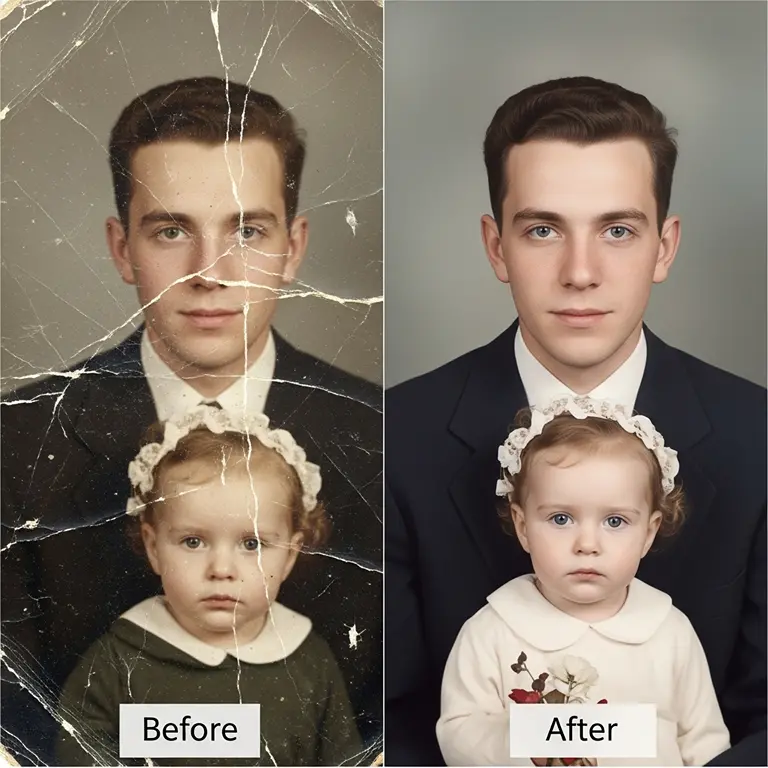
Restore Old Photos and Bring Memories Back to Life
Old photographs often fade, tear, lose color, or become blurry over time. RGBKit's AI Photo Restoration tool intelligently repairs damaged images, sharpens faces, removes scratches, restores faded colors, and enhances details while preserving the original character of the photo. Whether you're restoring childhood pictures, wedding albums, or historical family photographs, every restored image helps preserve memories for future generations.
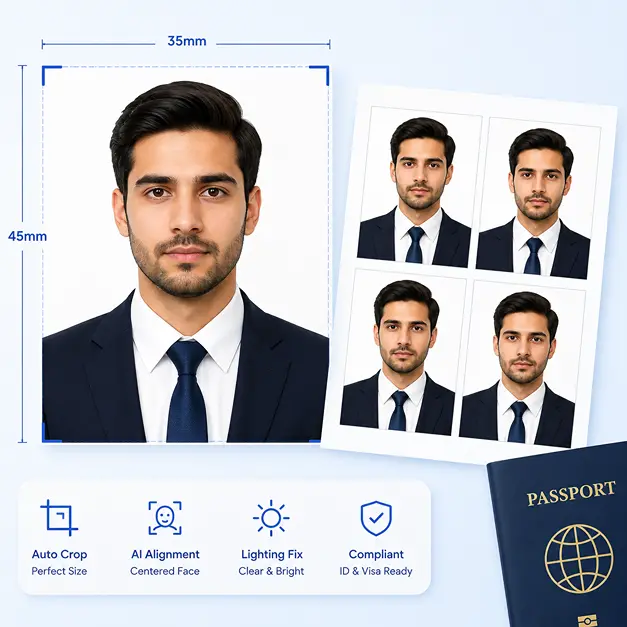
Create Perfect Passport Photos in Minutes
Skip expensive photo studios and create professional passport photos from home. RGBKit's Passport Photo Maker automatically crops your image, adjusts alignment, improves lighting, and prepares photos that meet common passport, visa, and ID requirements. Simply upload your picture, let AI optimize it, and download a ready-to-print passport photo within minutes.
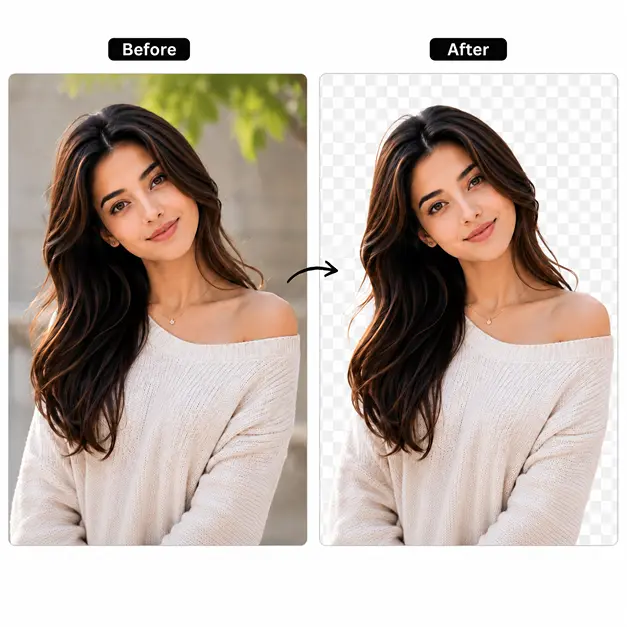
Remove Backgrounds with One Click
Need a transparent background for an online store, presentation, resume, or social media? RGBKit's AI Background Remover detects the main subject with remarkable accuracy and removes the background automatically. Replace it with a transparent layer, solid color, or a completely new scene without spending time tracing edges manually.
Remove Unwanted Objects Without Leaving Marks
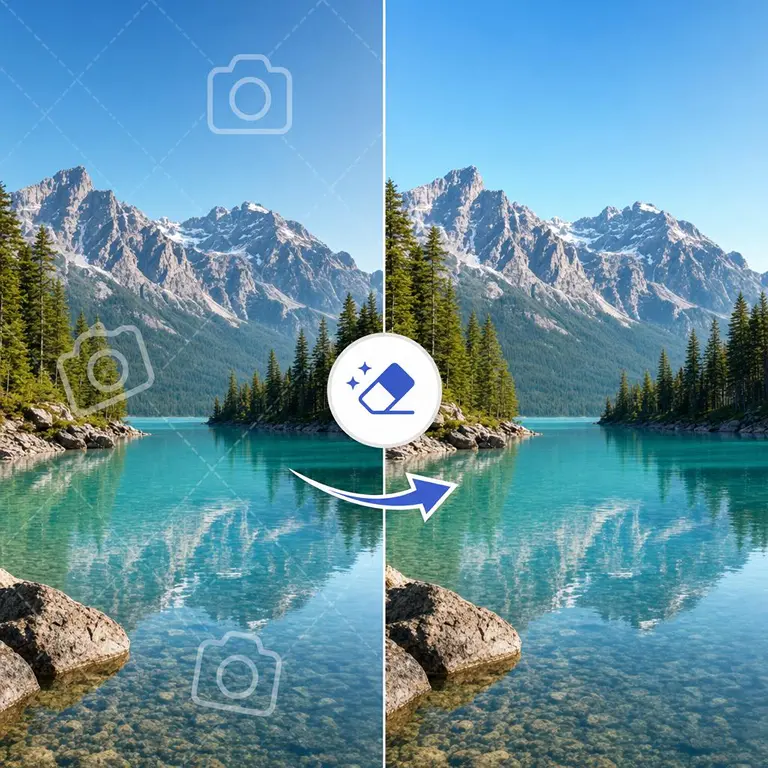
A perfect photo can easily be ruined by strangers, power lines, vehicles, logos, text, or unwanted clutter. RGBKit's AI Object Remover intelligently fills the removed area with natural-looking textures, helping your image look clean and professionally edited. It is ideal for travel photos, product photography, real estate images, and social media content.
Create Beautiful Silhouettes Instantly
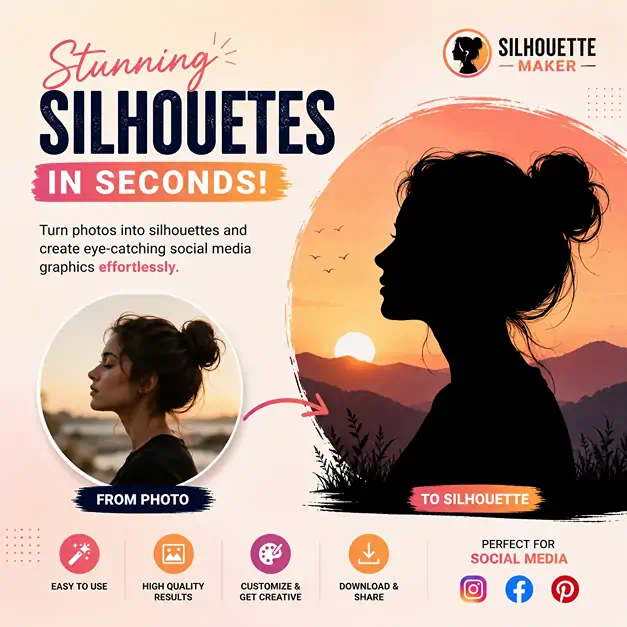
Silhouettes are perfect for logos, posters, crafts, profile graphics, stickers, and creative artwork. RGBKit's Silhouette Maker automatically extracts the subject and converts it into a clean, high-quality silhouette while preserving the original shape and proportions. Whether you're designing for business or personal projects, creating silhouettes has never been easier.
Why Millions Choose RGBKit AI Tools
AI Image Generation
Create unique images from simple text prompts in seconds.
Photo Restoration
Repair damaged, faded, scratched, and old photographs automatically.
Background Removal
Remove image backgrounds accurately with a single click.
Object Removal
Erase unwanted people, text, logos, and distractions naturally.
Passport Photo Maker
Generate passport and ID photos ready for printing.
Silhouette Creator
Convert portraits and objects into clean silhouette images instantly.
Frequently Asked Questions
RGBKit offers AI Image Generator, Restore Old Photo, Passport Photo Maker, Remove Background, Remove Object, Silhouette Maker, and many other AI-powered image editing tools.
No. Every RGBKit AI tool is designed for beginners and professionals alike. Simply upload your image or enter a text prompt, and the AI handles the complex editing automatically.
Yes. You can generate artwork for marketing, websites, blogs, presentations, social media, and many other creative projects.
No. RGBKit processes a copy of your uploaded photo, leaving your original file unchanged.
Yes. RGBKit provides separate AI tools for removing backgrounds and removing unwanted objects with natural-looking results.
Yes. RGBKit offers free online AI image editing tools that work directly in your web browser without requiring software installation.