Give Your Old Photos New Life with AI
Upload a faded, damaged, scratched, or blurry photo and let our AI repair it for you. It only takes a few seconds to see the difference.
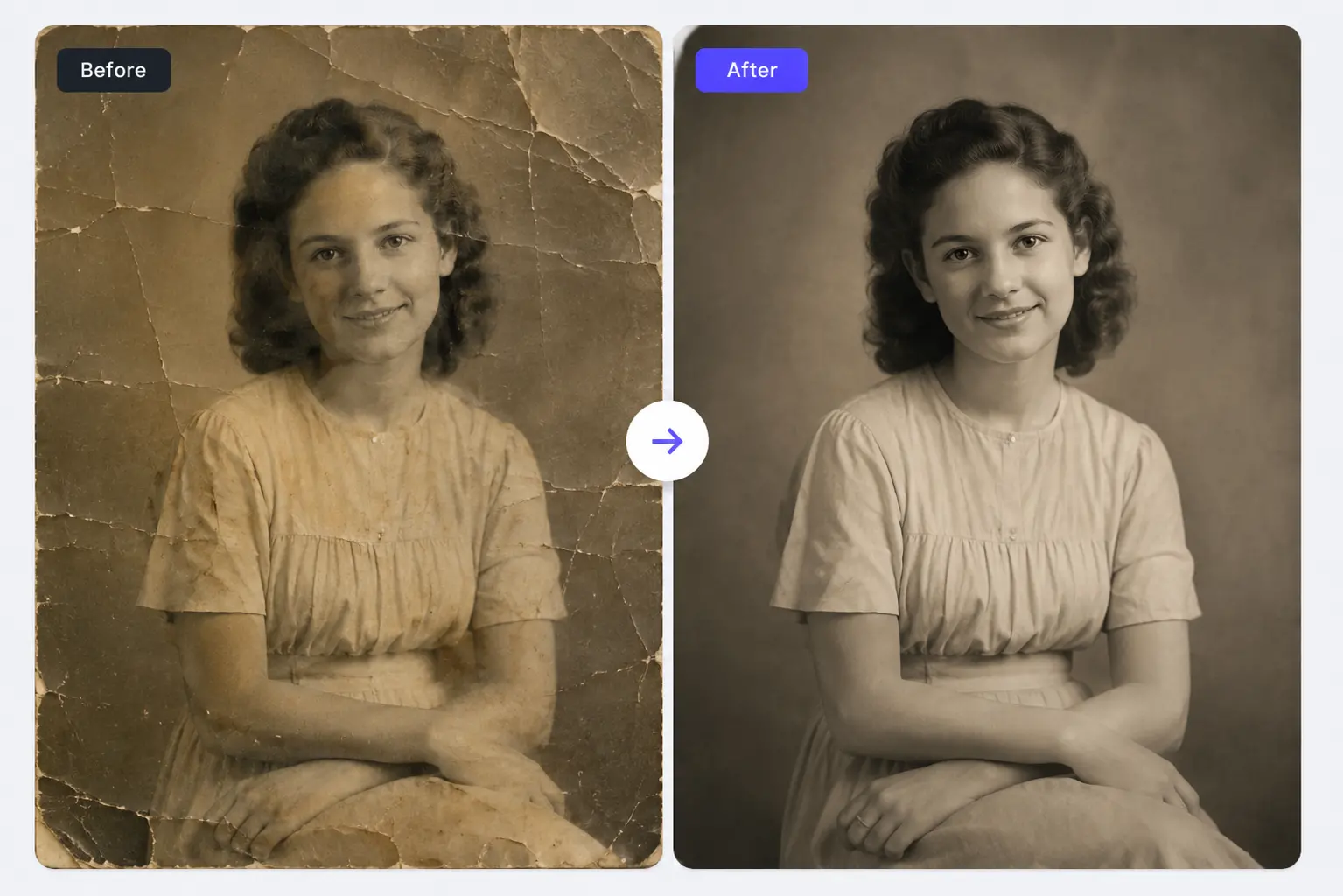
How to Restore Old Photos Online
Upload Your Old Photo
Choose a faded, damaged, scratched, or blurry photo from your device.
Let AI Do the Repair Work
Our AI gets to work fixing and enhancing your photo automatically.
Download Your Restored Photo
Save the restored version in high quality right away.
Restore Old Photos and Hold Onto the Memories That Matter
Old photos don't have to stay damaged, faded, or hard to look at. RGBKit's AI photo restoration tool repairs the wear and tear, sharpens up the details, and brings back the quality you remember - whether it's a family album, a vintage collection, or something pulled from a historical archive.
Why People Use RGBKit's Photo Restoration Tool
AI-Powered Restoration
Old photos get repaired and enhanced automatically.
Fixes Real Damage
Scratches, tears, stains, and aging effects - all handled.
Keep Family Memories Alive
Preserve treasured photos so future generations can enjoy them too.
Sharper, Cleaner Images
Better sharpness, contrast, and overall clarity.
Free, No Software Needed
Restore your photos right in your browser.
FAQ: Frequently Asked Questions
Just upload your photo to RGBKit, let the AI repair and enhance it, then download the restored version.
Yes - RGBKit's AI is built to repair scratches, tears, stains, and other common photo damage.
Definitely. RGBKit improves clarity, brightness, and detail to bring faded family photos back to life.
Yes, it's well suited for vintage photographs, historical images, archives, and old family collections.
Yes - RGBKit can restore black and white photos and improve their quality, even before colorizing them.
Yes, you can restore old photos right in your browser without installing anything.