Colorize Photo Online with AI

Convert black and white photos to color online using advanced AI. Restore old family photos, vintage images.

AI colorize photo online
Drag & Drop image files here!Tap to upload image files
No Image? try one of these:
sample image
sample image
sample image
sample image
Supported formats: JPG, PNG, WEBP and GIF.
Drag & Drop image files here!Tap to upload image files
No Image? try one of these:
sample image
sample image
sample image
sample image
Supported formats: JPG, PNG, WEBP and GIF.
Prompt

How to Colorize Photos Online

Step 1

Upload Your Photo

Choose a black and white, grayscale, faded, or sepia photo from your device.

Step 2

AI Adds the Color

Our AI takes a look at the image and applies natural, realistic colors.

Step 3

Download Your Colorized Photo

Save your high-resolution colorized image right away.

Turn Black and White Photos into Color with AI

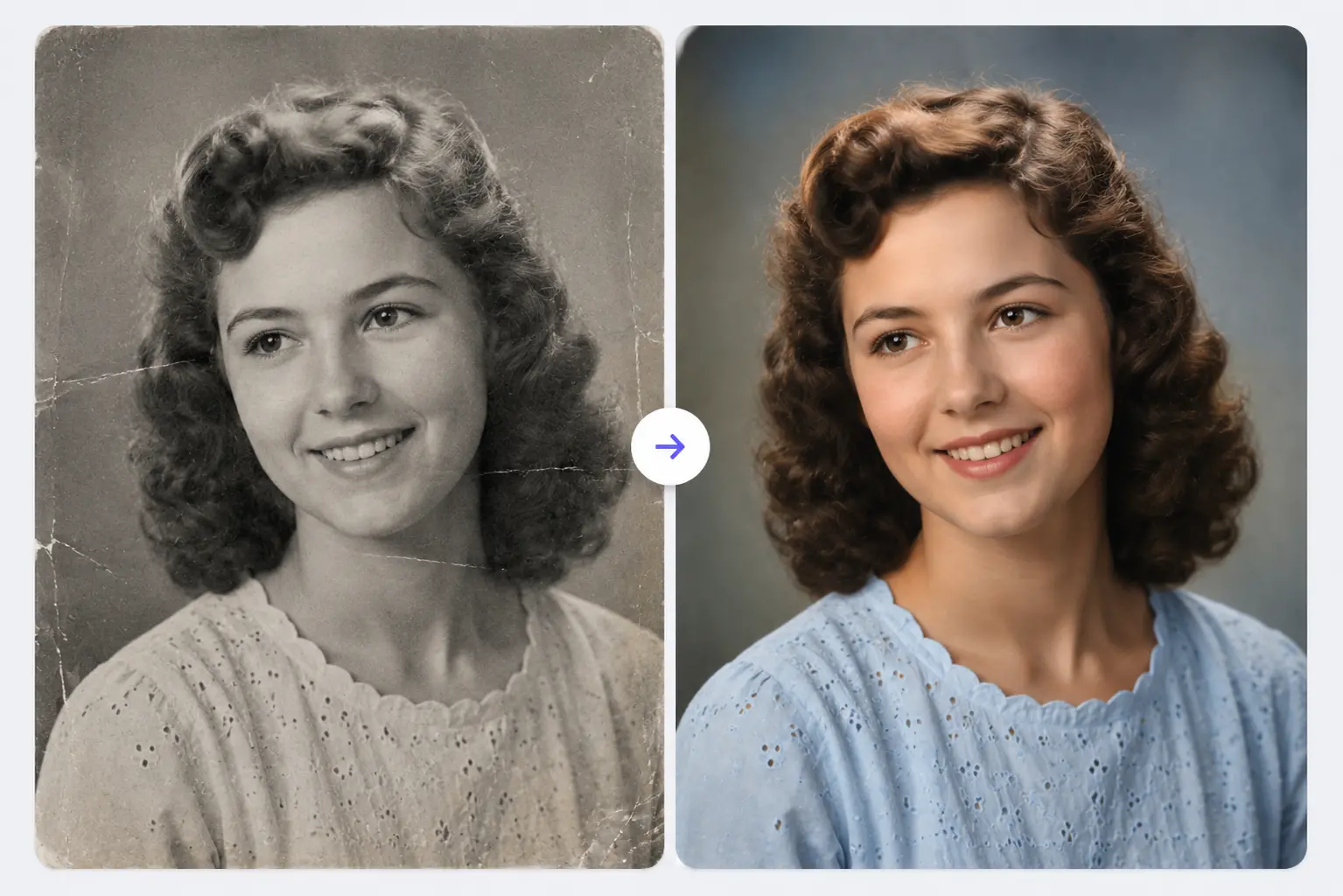
Got a black and white photo you wish you could see in color? RGBKit's AI Colorize Photo tool does exactly that. Whether it's a family memory, a vintage shot, or a piece of history, our AI adds realistic color in just seconds.

Bring Old Memories Back to Life

Old photographs carry memories worth holding onto. RGBKit converts black and white images into realistic color photos, helping you relive treasured family moments with vibrant detail and natural-looking colors.

Restore Old Family Photos Online

Got old family portraits, childhood pictures, or wedding photos sitting in a box? Colorize them with RGBKit to create vivid, shareable memories that future generations can enjoy.

Colorize Vintage Photos with Realistic Colors

RGBKit's AI looks closely at objects, clothing, skin tones, and backgrounds to add natural-looking color to vintage and faded photographs, all while keeping the original character of the image intact.

Colorize Historical Photos and Archives

Historians, researchers, educators, and collectors can use AI colorization to turn black and white historical images into something more engaging and easier to connect with.

Convert Sepia and Grayscale Images to Color

Sepia and grayscale images work just as well. Upload your photo and RGBKit's AI will add color automatically while keeping the fine details and textures intact.

One-Click AI Photo Colorization

No editing experience needed. Upload your image, let RGBKit's AI handle the colorization, and download your fully colorized photo in seconds.

Get High-Resolution Colorized Photos

Whether you're printing, building a digital archive, updating a family album, or sharing on social media, RGBKit keeps your colorized photos sharp and ready to use.

Why People Choose RGBKit's AI Photo Colorizer

AI-Powered Colorization

Black and white photos get colorized automatically with advanced AI.

Old Photos, Restored

Faded and damaged memories come back to life with realistic colors.

Natural-Looking Results

Balanced, authentic colors for every photo.

Just One Click

Upload your photo and get a colorized version in seconds.

High-Resolution Downloads

Sharp, detailed results ready for personal or professional use.

FAQ: Frequently Asked Questions

Upload your image to RGBKit's AI Colorize Photo tool, let the AI add colors, then download the result.

Yes - RGBKit adds realistic colors to old family photos and enhances their overall look.

Absolutely. RGBKit handles vintage photos, historical images, archives, and old family albums well.

Yes - sepia-toned and grayscale photos can be colorized automatically with AI.

Yes, RGBKit produces high-resolution colorized photos while keeping important details and textures intact.

Yes - you can colorize photos online in your browser without installing anything.