Upscale Images Online with AI
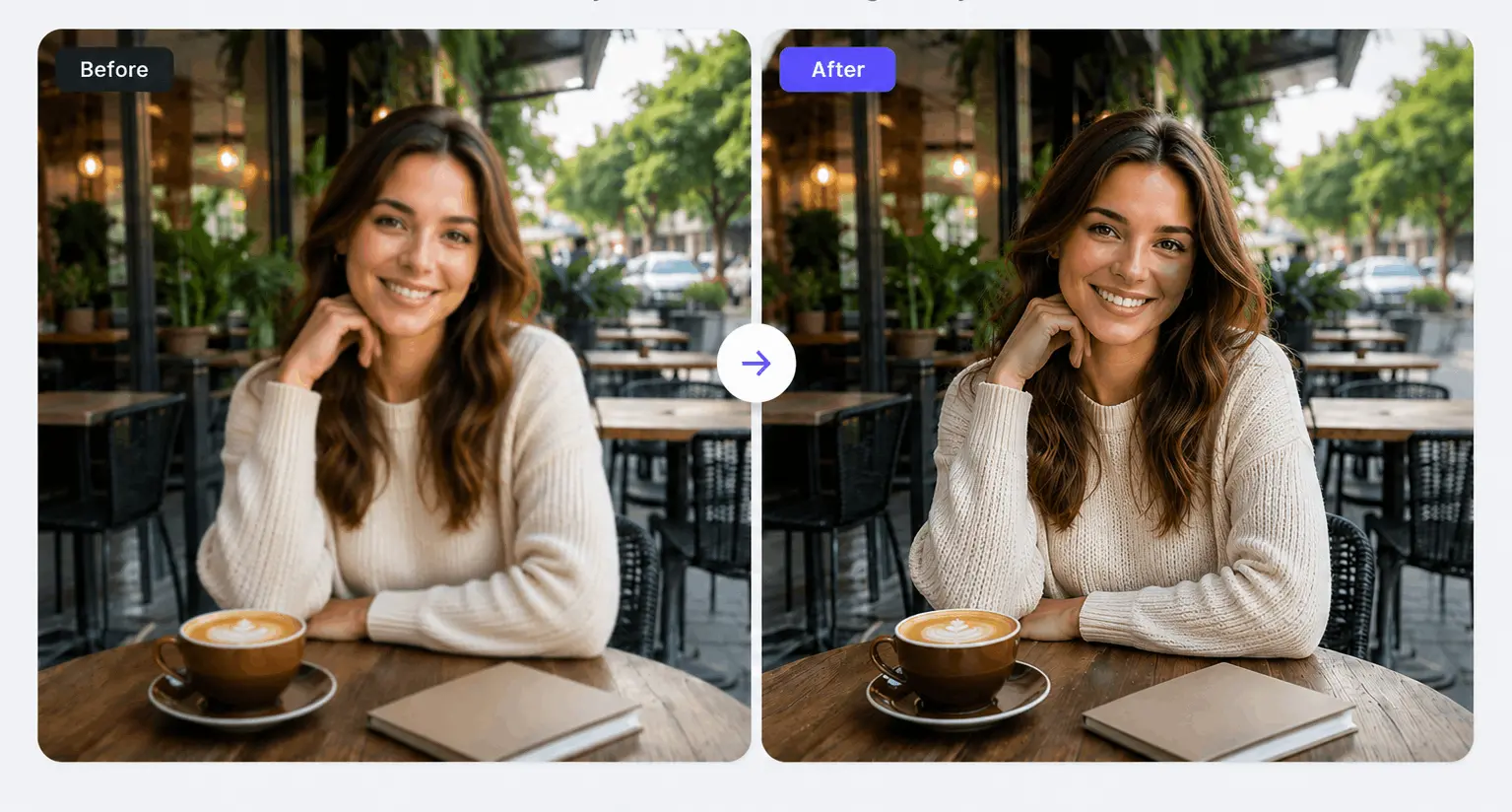
Increase image resolution, sharpen blurry photos, and enhance photo quality up to 4K using RGBKit's free AI Image Upscaler.
How to Upscale Images Online
Upload Image
Upload a JPG, PNG, WEBP, or other image file.
Upscale with AI
Our AI analyzes the image and enhances resolution automatically.
Download HD Image
Download your enhanced high-resolution image instantly.
AI Image Upscaler for Sharper and Clearer Photos
RGBKit's AI Image Upscaler enhances photo quality by increasing image resolution, reducing blur, fixing pixelation, and restoring lost details automatically.
Why Use RGBKit AI Image Upscaler
Increase Resolution
Convert low-resolution images into HD and 4K quality.
Fix Pixelation
Remove visible pixels and improve image smoothness.
Sharpen Details
Enhance textures, edges, and fine image details.
Improve Text Clarity
Make blurry text in images easier to read.
Print-Ready Results
Generate high-resolution images suitable for large prints.
FAQ: Frequently Asked Questions
An AI Image Upscaler uses artificial intelligence to increase image resolution while improving sharpness, clarity, and details.
Yes. RGBKit can increase image resolution and generate high-quality images suitable for 4K displays and printing.
Yes. The tool reduces blur, improves sharpness, and restores image details automatically.
Absolutely. RGBKit can improve old, low-quality, or scanned photos by increasing resolution and clarity.
Yes. You can upload JPG, JPEG, PNG, WEBP, and other common image formats.
Yes. RGBKit offers a free online AI Image Upscaler that works directly in your browser.