See How You'll Look at Any Age - Powered by AI
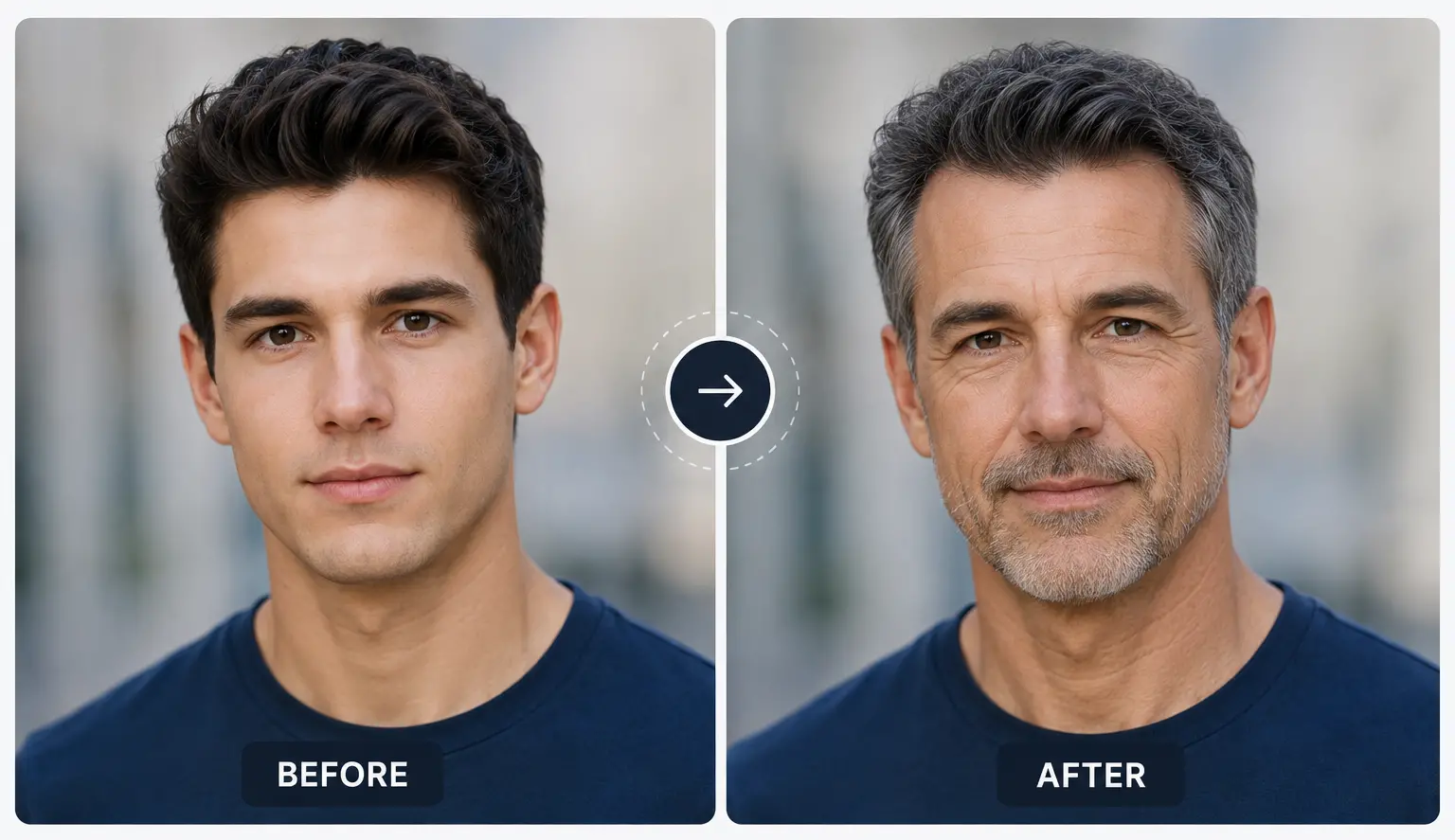
Ever wondered what you'll look like in 20 years? Upload your photo and RGBKit's AI aging filter shows you a realistic preview of your future self in just seconds.
How to Use the AI Age Progression Tool
Upload Your Photo
Choose a clear, front-facing photo of yourself or anyone you'd like to age.
AI Applies the Aging Filter
RGBKit's AI analyzes your facial features and generates a realistic aged version of the photo.
Download Your Result
Save your AI-aged photo in high resolution and share it with friends or use it in creative projects.
What Will You Look Like in 20 Years? AI Can Show You Now.
It's one of those questions everyone wonders about at some point. RGBKit's AI Age Progression tool takes a photo of you and realistically simulates how your face will change over time - adding wrinkles, adjusting skin texture, and evolving your features naturally. The result isn't a cartoon filter. It's a genuinely believable look at your future self.
Why People Love RGBKit's AI Age Progression Tool
Looks Like the Real You
Your facial features, bone structure, and skin tone are preserved while natural aging is applied.
Both Directions
Age forward to see your future self or go back in time with AI age regression.
Any Age Range
Preview how you look from childhood right through to senior years.
High-Resolution Output
Download sharp, detailed results ready for social media, print, or creative projects.
Free and Private
No account needed, photos are never stored - just upload and see your result.
FAQ: Frequently Asked Questions
RGBKit's AI analyzes your facial features - skin texture, bone structure, eyes, and expression - and simulates how those features naturally change over time, generating a realistic aged version of your photo.
A clear, front-facing photo with good lighting works best. The face should be fully visible and unobstructed. That said, the AI handles a wide range of photo types, including older scanned images.
Yes. RGBKit supports both age progression (older) and age regression (younger), so you can go in either direction.
You can preview your face across a wide range of ages, from young child to senior. Ages between 18 and 75 tend to give the most accurate and natural-looking results.
Yes - that's the point. RGBKit preserves your core facial identity, including your eyes, smile, and bone structure, while simulating natural aging. The result should look like a real future or past version of you, not an unrecognizable transformation.
Yes. You can use it on any portrait photo - family members, friends, or historical photos. Just make sure the face is clearly visible.
No. Your photos are processed securely and never stored, shared, or used for any other purpose. Your privacy is fully protected.
Yes. AI-aged photos generated with RGBKit can be used for personal, creative, and commercial purposes including social media campaigns, marketing visuals, and storytelling projects.
Yes - you can use the AI age progression filter for free, right in your browser, with no app to install and no account required.