Whether you’re preparing product photos for an online store, resizing images for social media, or simply removing an unwanted background — cropping is one of the most essential image editing skills.
The good news? You don’t need expensive software to do it. A free online crop tool lets you trim, resize, and refocus any image in seconds — right from your browser.
In this guide, we’ll cover:
- What image cropping is and how it works
- Why cropping matters for photos and web content
- How to crop your images online for free, step by step
What Is Image Cropping?
Image cropping is the process of selecting a specific area of a photo and removing everything outside it. Unlike resizing, which scales the entire image up or down, cropping lets you cut away unwanted parts while keeping the selected portion at full quality.
Common reasons to crop an image include:
- Removing distracting backgrounds or objects
- Focusing attention on a specific subject
- Adjusting the aspect ratio for a particular platform (e.g., Instagram, YouTube, LinkedIn)
- Improving the overall composition of a photo
Why Should You Crop Your Images?
1. Improve Photo Composition
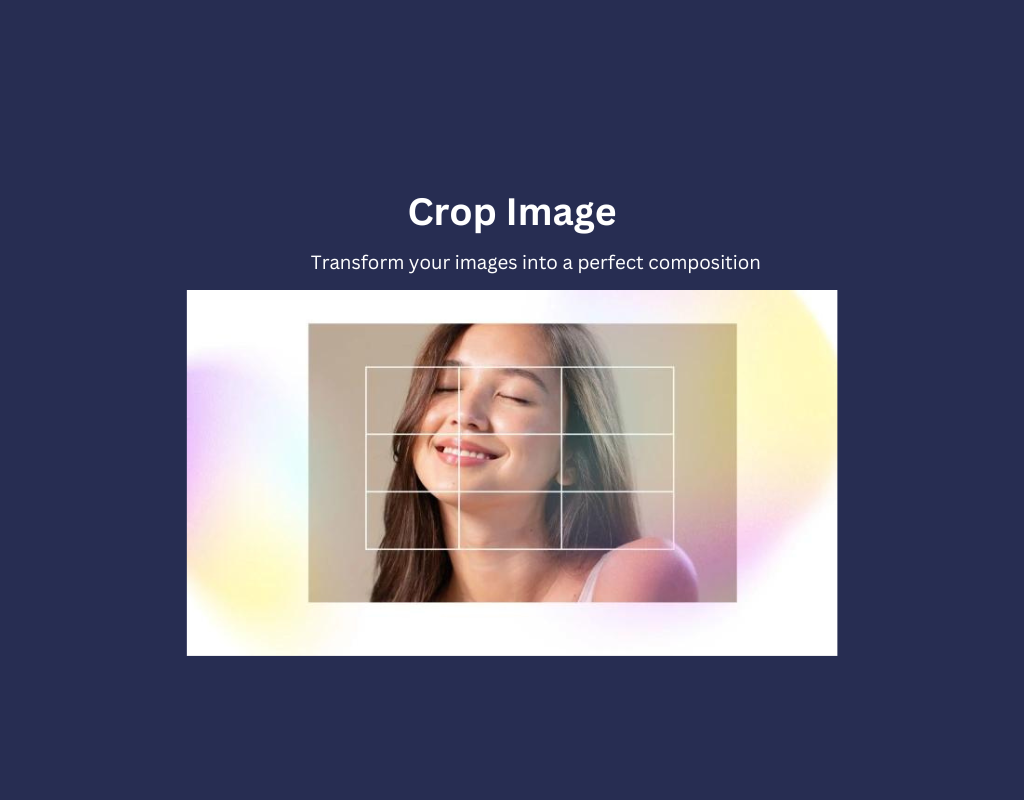
Not every photo is perfectly framed when you take it. Cropping lets you reframe the shot — applying techniques like the rule of thirds or centering a subject — to create a more visually appealing result.
2. Remove Distractions
Unwanted elements at the edges of a photo — extra background, stray objects, or other people — can weaken your image. Cropping them out produces a cleaner, more professional look.
3. Fit Platform Requirements
Different platforms require different image dimensions:
| Platform | Recommended Size |
|---|---|
| Instagram Post | 1080 x 1080 px |
| Facebook Cover | 820 x 312 px |
| YouTube Thumbnail | 1280 x 720 px |
| LinkedIn Banner | 1584 x 396 px |
Cropping helps you quickly adapt a single photo to multiple formats without distortion.
4. Reduce File Size
By removing unnecessary parts of an image, cropping naturally reduces the file size. This is especially helpful when uploading images to a website, where smaller files lead to faster page load times and better SEO performance.
5. Create Collages and Montages
Cropping sections from multiple photos and combining them allows you to create collages, comparison images, or social media graphics — all from your existing photo library.
How to Crop Images Online for Free
You can crop any image in just a few clicks using RGBKit’s free Crop Image tool. Here’s how:
Step 1: Upload Your Image
Visit rgbkit.com and open the Crop Image tool. Upload your photo by clicking the upload button or dragging and dropping the file directly onto the editor.
Step 2: Select the Crop Area
Use your mouse or touch screen to draw a selection box around the area you want to keep. You can drag the corners and edges to fine-tune your selection.
Step 3: Adjust the Aspect Ratio (Optional)
If you need a specific dimension — for example, a square crop for Instagram or a 16:9 crop for YouTube — select the appropriate aspect ratio from the options provided.
Step 4: Apply and Download
Once you’re happy with the selection, click the Crop button. The tool processes the image instantly, and you can download the cropped result to your device.
No account, no installation, no watermark — it works entirely in your browser.
Tips for Better Image Cropping
- Don’t over-crop. Removing too much can lower the resolution and make the image look pixelated, especially when displayed at larger sizes.
- Keep the subject in focus. Make sure the most important element of the image stays within the crop area.
- Maintain aspect ratio when needed. Free-form cropping is great for creative work, but stick to standard ratios when preparing images for specific platforms.
- Work with high-resolution originals. Starting with a larger image gives you more room to crop without sacrificing quality.
Final Thoughts
Cropping is a small step that makes a big difference. Whether you’re a photographer, marketer, blogger, or business owner, knowing how to crop images effectively helps you create cleaner visuals, meet platform requirements, and present your content more professionally.
With a free online tool like RGBKit’s Crop Image, you can get it done in seconds — no downloads or design skills required.