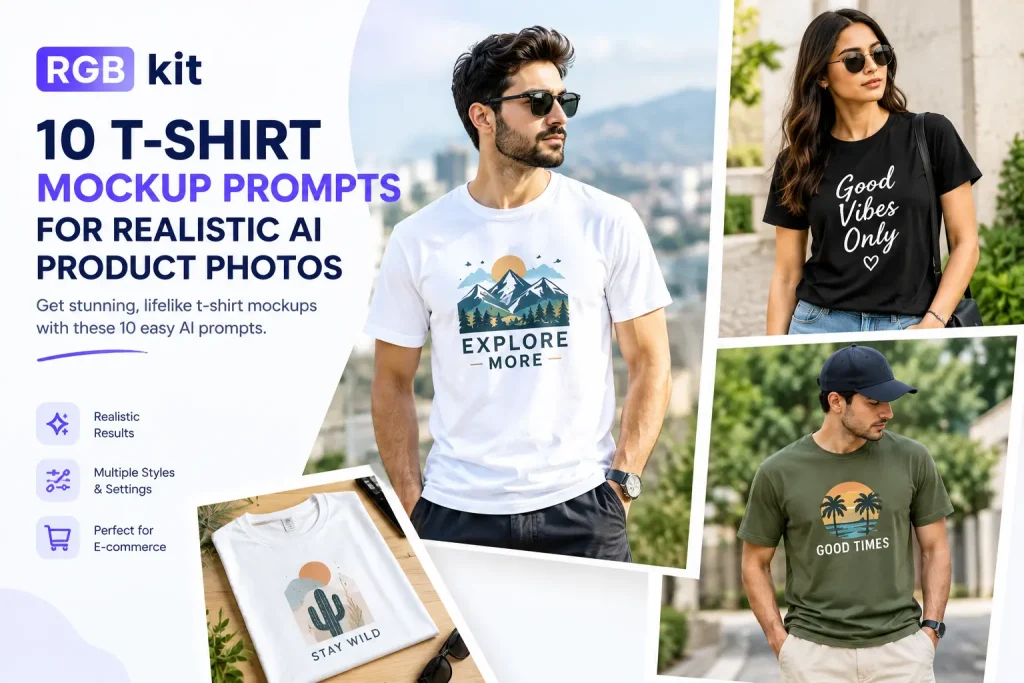
A T-shirt design on a blank canvas tells you almost nothing. The same design on fabric — with folds, lighting, and a real setting — sells the idea.
That used to mean hiring a photographer or wrestling with Photoshop mockups. Now you describe the shot, and AI builds it. The difference between a usable mockup and a blurry mess is the prompt.
Below are 10 ready-to-use T-shirt mockup prompts for ecommerce listings, print-on-demand stores, social ads, and client previews. Copy one, swap the design description for yours, and generate with RGBKit’s free AI Image Generator.
What Makes a Strong T-Shirt Mockup Prompt
Clear, natural language beats keyword soup. Build each prompt in this order:
-
Design fidelity — what the print looks like, and that it stays sharp and undistorted
-
Garment — color, fabric weight, fit, neckline
-
Placement — center chest, left chest, upper back, etc.
-
Presentation — on a model, flat lay, hanging, folded
-
Scene — studio, street, café, wooden table
-
Photography — lighting, angle, depth of field, product-photo style
Skip a layer and the AI fills the gap with a guess. Keep all six and you get something listing-ready.
Quick formula:
[design description] + [garment] + [placement] + [presentation] + [background] + [lighting & photo style]
How to Use These Prompts in RGBKit
-
Open the RGBKit AI Image Generator.
-
Paste a prompt below. Replace the sample graphic with your own design description (logo name, colors, art style).
-
Click Generate, download the result, and iterate — change one detail at a time (color, fit, or background).
No software. Works in the browser.
10 T-Shirt Mockup Prompts
Each prompt is ready to paste. Swap the design line for your artwork.
1. Clean Front-View Studio Mockup
Best for Shopify / Amazon product galleries.
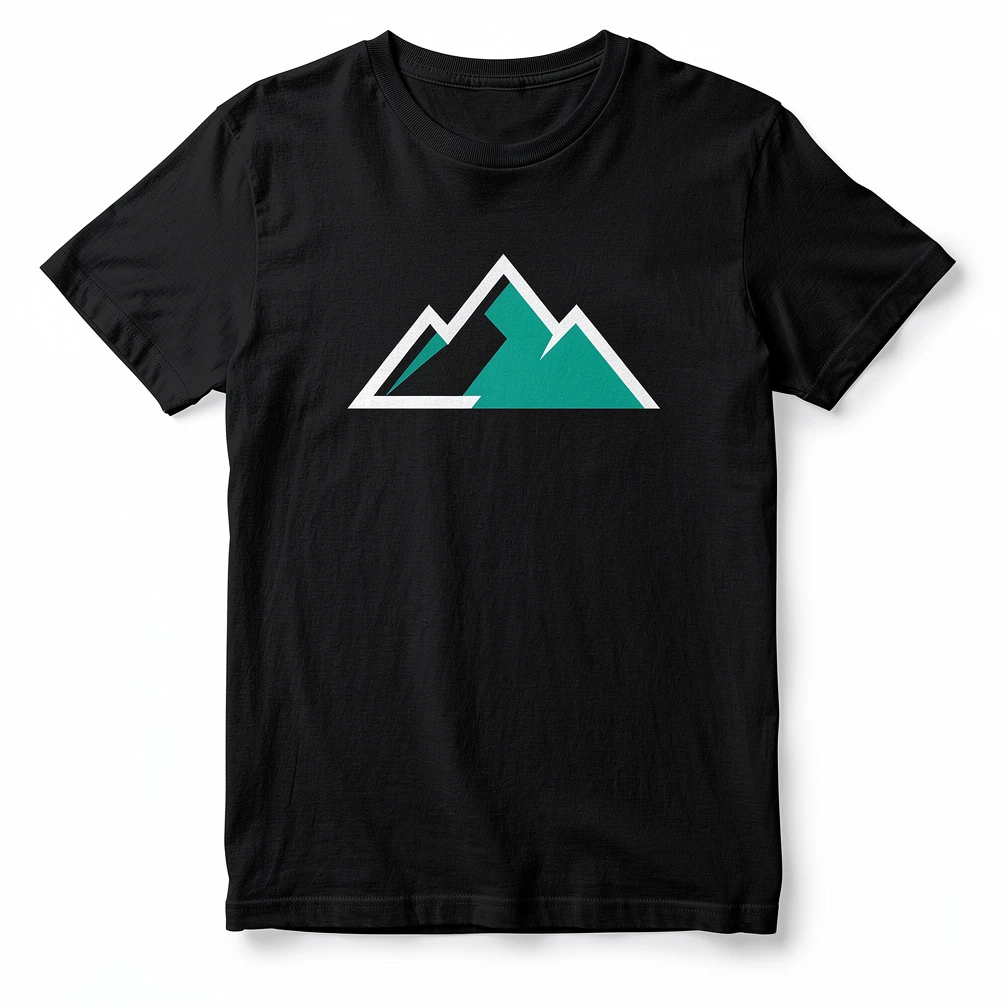
Photorealistic ecommerce product photo of a black midweight cotton crew-neck T-shirt, regular unisex fit, ribbed collar, short sleeves, straight hem. Center-chest print: a sharp geometric mountain logo in white and teal, clean vector look, natural fabric print with slight texture wrap — do not warp or blur the artwork. Straight front view, full garment in frame, pure white seamless studio background, soft even studio lighting, gentle natural shadow under the shirt, visible cotton weave and stitching. Square product composition, no props, no watermarks, no extra logos.2. Upper-Back Print Mockup
Best when the main design lives on the back.
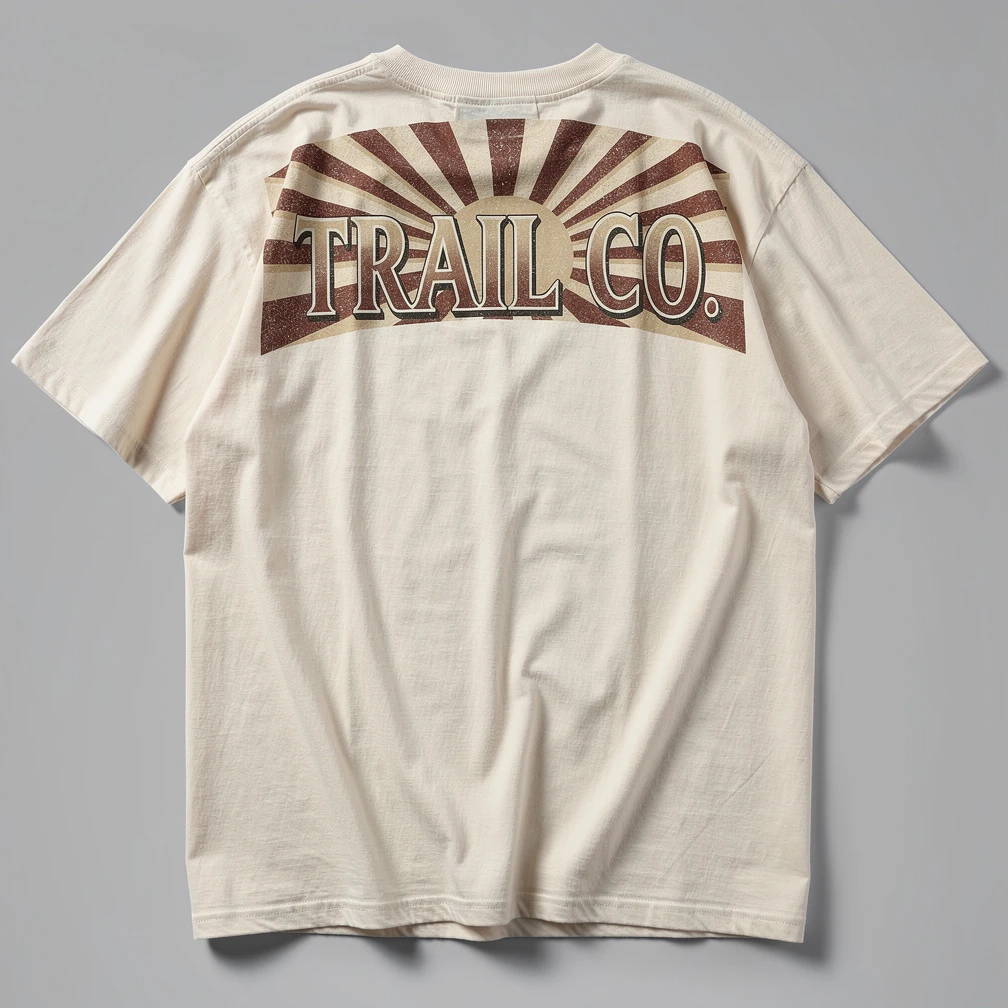
Photorealistic product photo of an off-white heavyweight oversized cotton T-shirt, thick ribbed crew neck, dropped shoulders, wide short sleeves. Large graphic printed across the upper back: bold vintage sunburst typography reading "TRAIL CO." in deep rust and cream — keep lettering crisp and fully readable. Straight back view, complete artwork and garment visible, light gray studio backdrop, softbox lighting, natural fabric folds without covering the print. Square 1:1 composition, realistic seams and stitching, no hangers, no props.3. Multi-Color Folded Flat Lay
Best for colorway launches and collection previews.
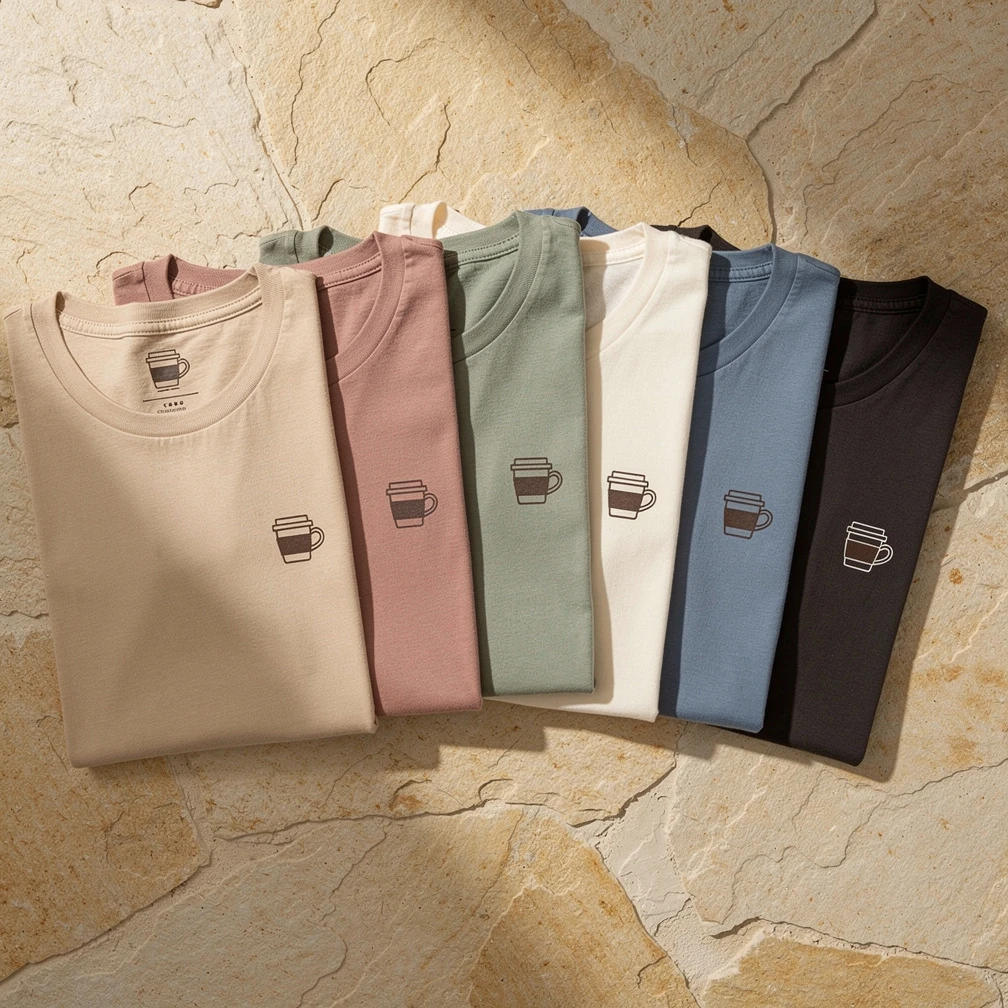
Premium overhead flat-lay of six neatly folded heavyweight cotton T-shirts in beige, dusty pink, sage green, cream, washed blue, and charcoal, overlapping in a stylish arrangement on warm beige stone plaster. Each shirt shows the same center design on the top fold: a minimal line-art coffee cup logo in dark brown — identical on every shirt, sharp and undistorted. Soft directional daylight from the left, gentle shadows between folds, crisp cotton texture, commercial lifestyle product photography, no text overlays.4. Boutique Hanger Shot
Best for brand lookbooks and retail vibe.
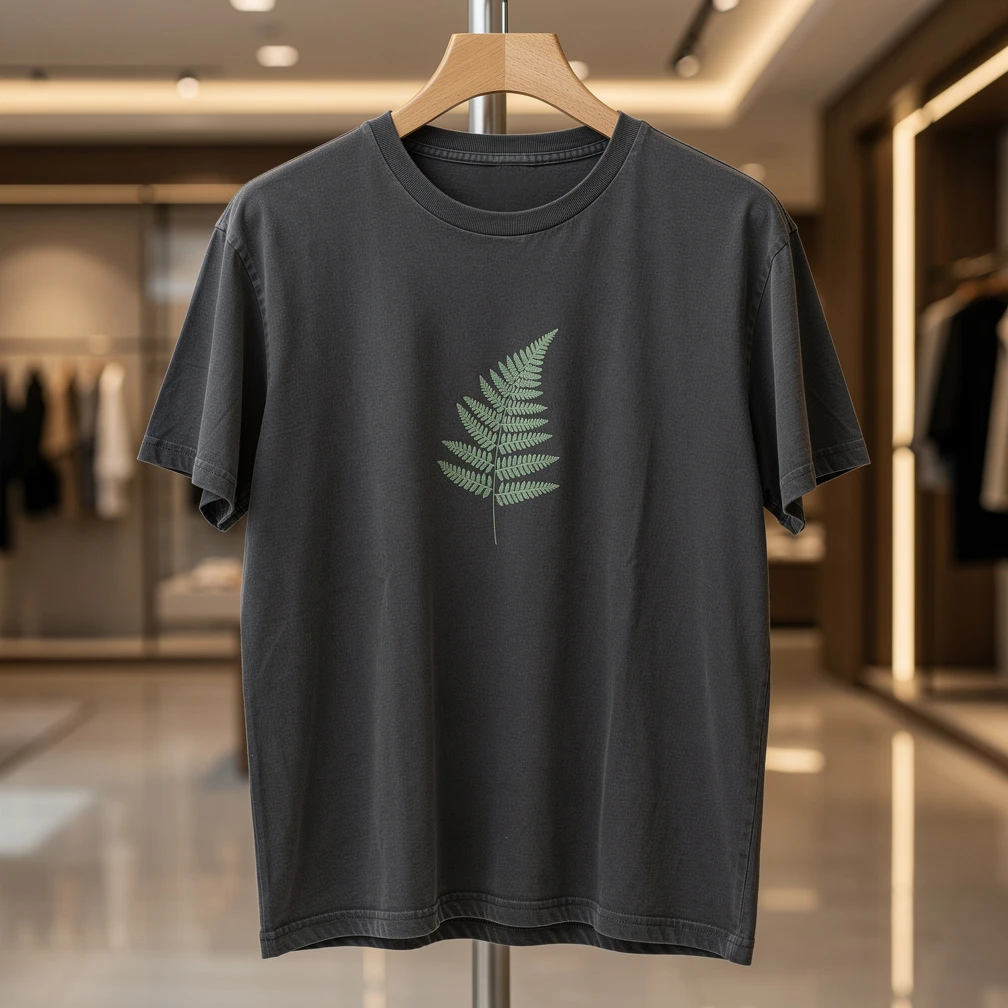
Photorealistic photo of a washed charcoal heavyweight cotton T-shirt hanging on a premium wooden hanger. Center-front print: a small botanical fern illustration in muted sage green, clean and sharp. Relaxed fit, ribbed crew neck, natural drape without heavy wrinkles covering the art. Softly blurred luxury clothing boutique background — warm architectural light, polished floors, shallow depth of field. Eye-level framing, full shirt from neck to hem, commercial fashion product photography.5. Small Left-Chest Logo on Model
Best for brand marks and subtle merch.
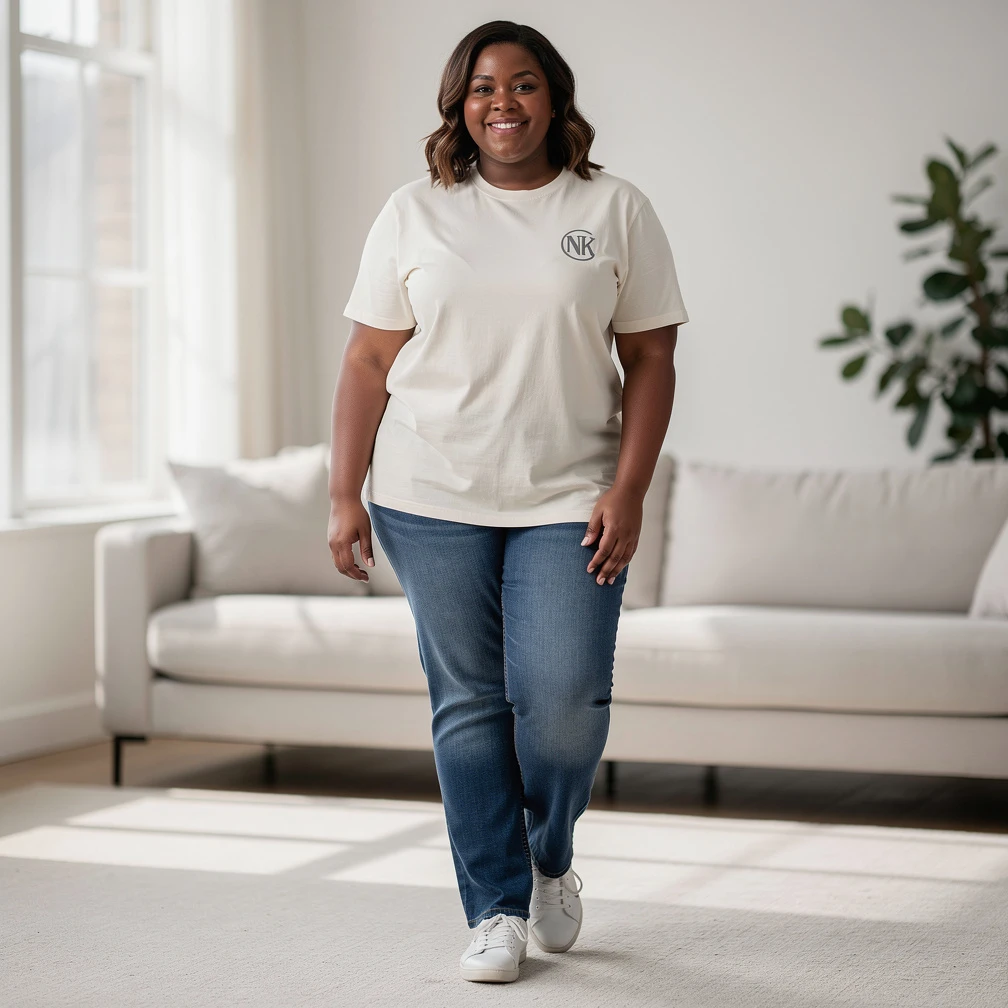
Photorealistic lifestyle product photo of a plus-size woman in her early 30s with medium-dark skin and shoulder-length wavy hair, wearing an off-white organic cotton crew-neck T-shirt, regular fit. Small left-chest logo: a simple circular monogram "NK" in charcoal — sharp, tiny, and undistorted. Straight-leg jeans, simple sneakers, relaxed standing pose with arms at her sides so the logo stays fully visible. Bright minimalist living room, soft window light, natural smile, realistic fabric texture, ecommerce fashion photography.6. Flat Lay With Jeans and Sneakers
Best for casual streetwear listings.
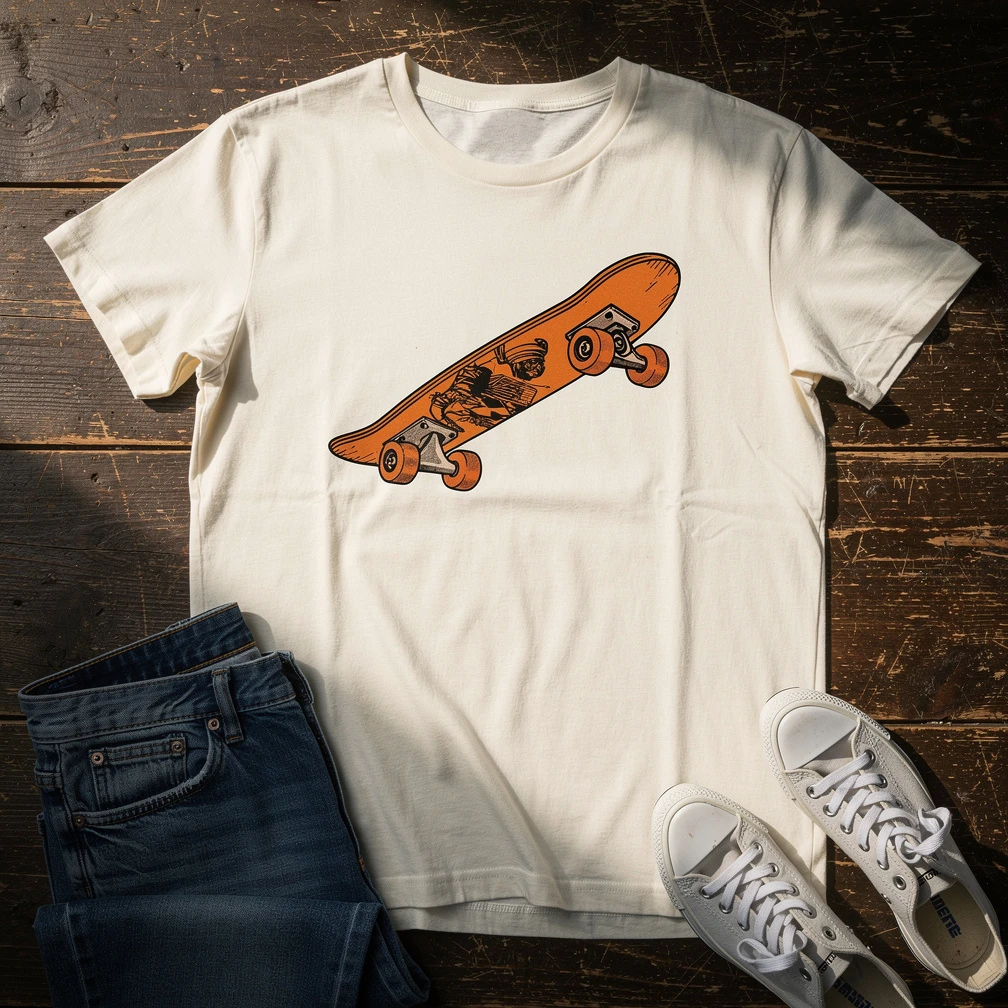
Top-down photorealistic flat lay of an off-white heavyweight cotton graphic T-shirt laid naturally on a dark weathered wooden board. Center-front print: a retro skateboard illustration in black and orange — keep the artwork sharp and fully visible. Sleeves slightly loose, not perfectly pinned. Worn blue jeans and canvas sneakers placed near the edges without covering the print. Warm side daylight, natural shadows, rustic wood grain, commercial apparel flat-lay photography.7. Urban Streetwear Model
Best for Instagram ads and lookbook heroes.
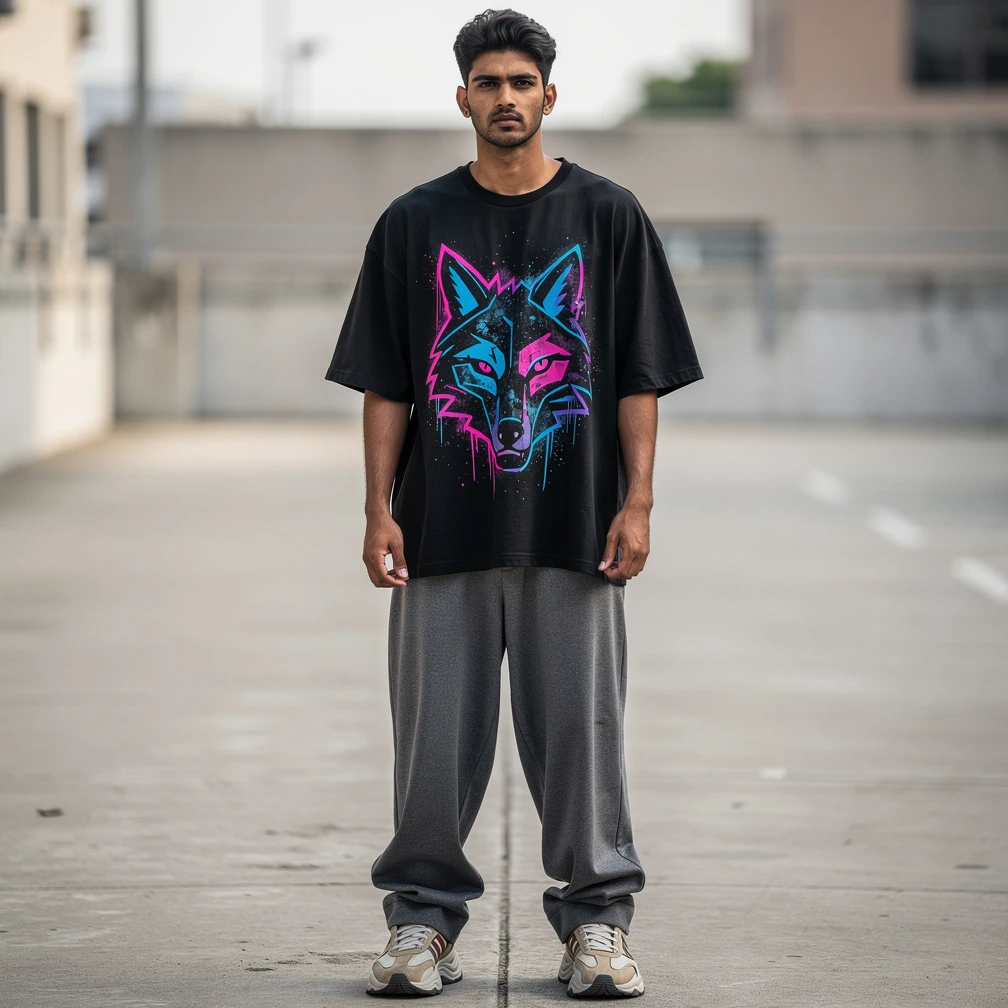
Photorealistic streetwear photo of a tall South Asian man in his early 20s with medium-brown skin and short textured dark hair, wearing an oversized black heavyweight cotton T-shirt with dropped shoulders and boxy fit. Large center-front graphic: abstract neon graffiti-style wolf head in electric blue and magenta — crisp print on washed cotton. Styled with baggy gray trousers and chunky sneakers, calm serious expression, arms away from the artwork. Urban concrete street, natural daylight, realistic fabric texture, editorial street fashion photography.8. Café Back-Logo Lifestyle
Best for shop uniforms, café brands, and merch stories.
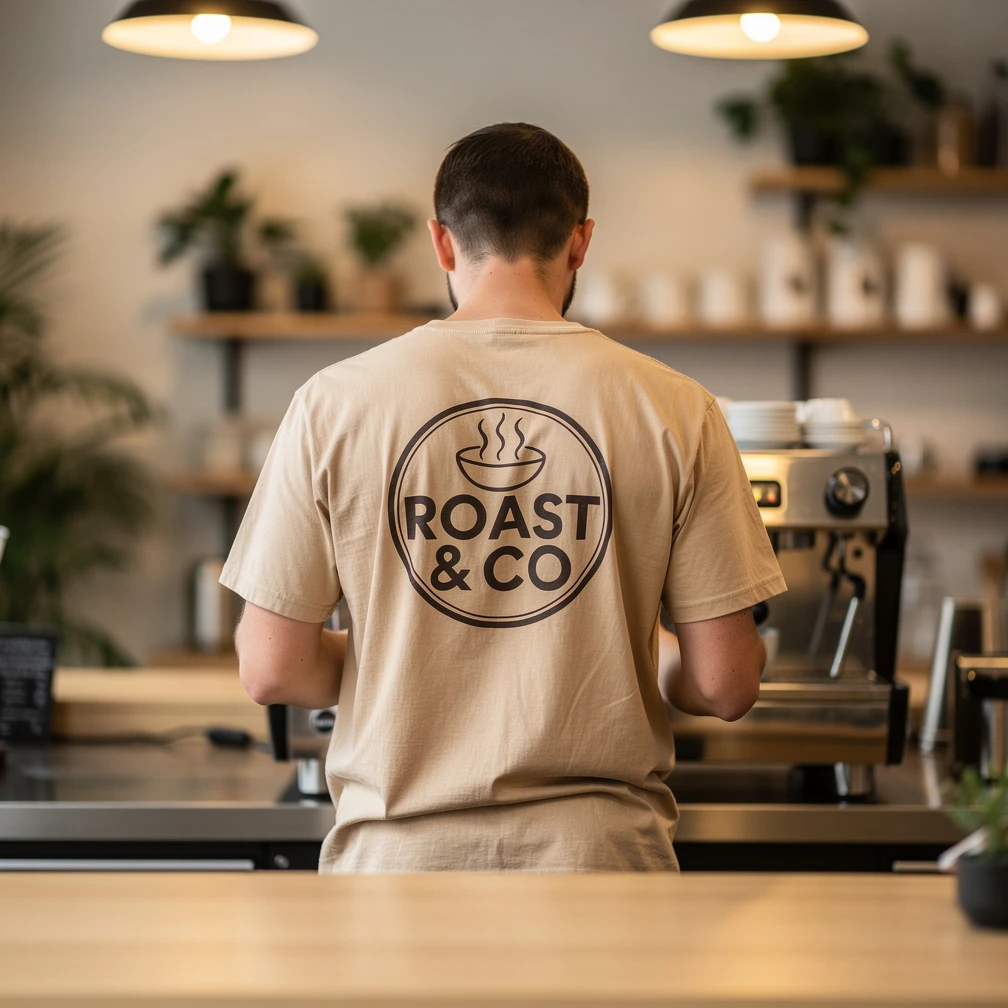
Photorealistic lifestyle photo of a barista facing away from the camera, preparing coffee at an espresso machine. Warm beige cotton crew-neck T-shirt with a large upper-back logo: circular coffee-shop emblem with steam icons and the words "ROAST & CO" — fully visible, sharp, and undistorted. Modern café interior with wooden counter and soft bokeh background. Shot from slightly behind at chest level, warm ambient light, shallow depth of field, documentary lifestyle product photography.9. Embroidered Logo Macro
Best for premium / textured print concepts.
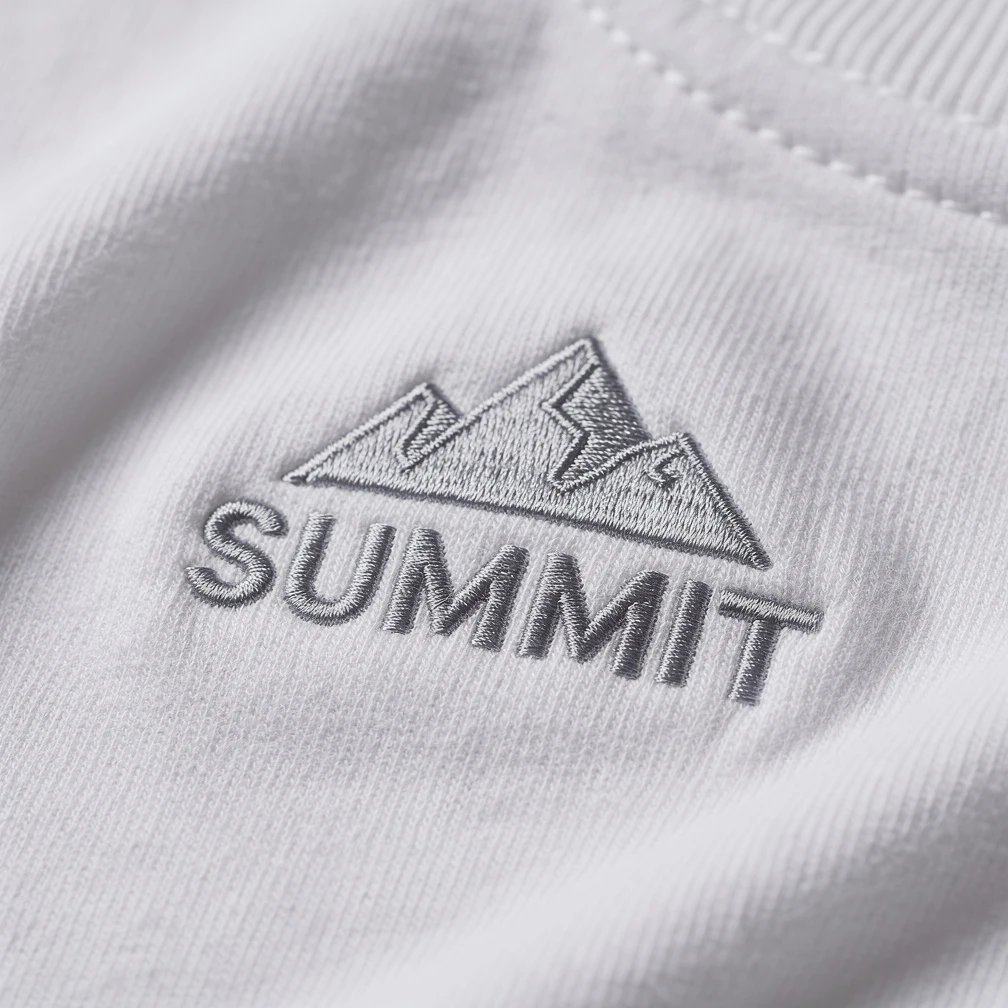
Extreme close-up photorealistic macro of an embroidered logo on a premium white cotton T-shirt. The logo is a small mountain peak icon with the word "SUMMIT" underneath, recreated entirely in dense raised embroidery thread — individual stitches, layered thickness, subtle thread sheen clearly visible. Soft directional studio light, shallow depth of field, fabric weave in focus around the stitching, luxury apparel detail photography, no extra text or watermarks.10. Ecommerce Hero Banner Mockup
Best for store homepage banners and campaign creatives.
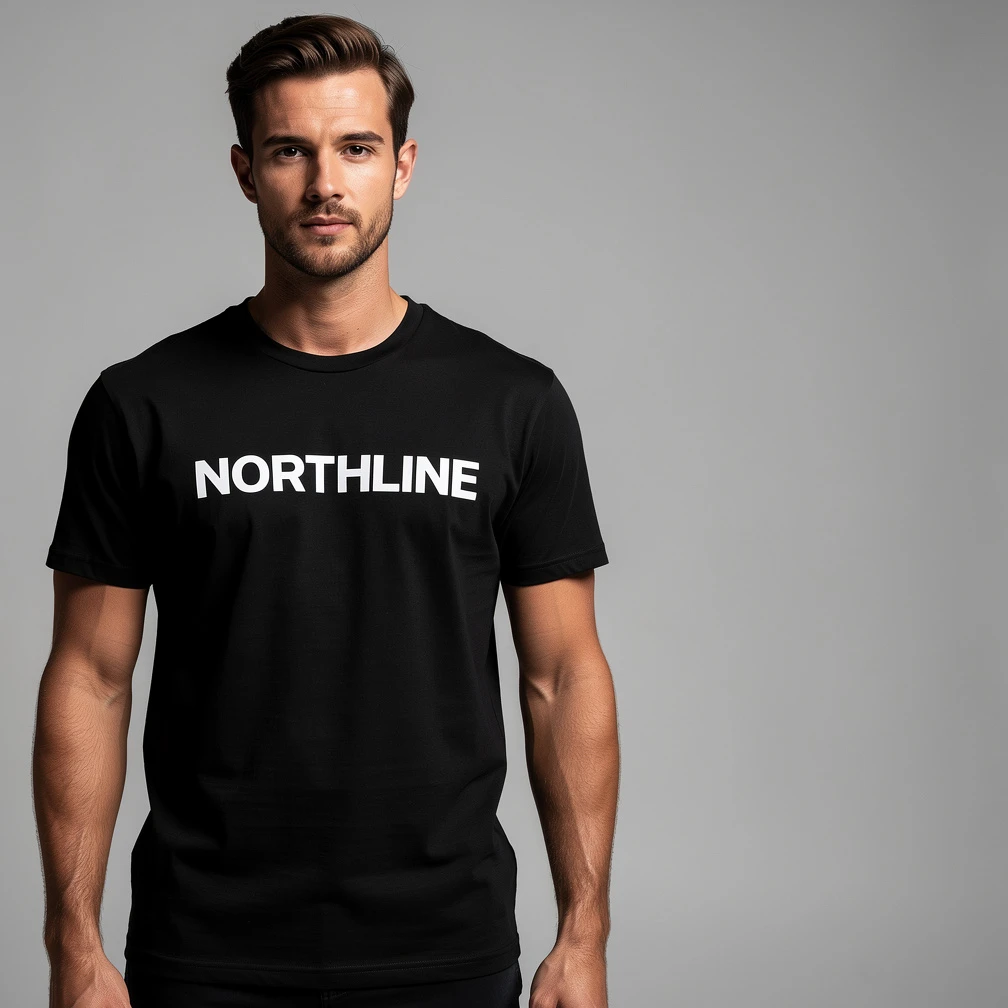
Photorealistic fashion ecommerce hero image of a stylish model wearing a premium black heavyweight cotton T-shirt, confident front-facing pose. Center-chest print: bold modern wordmark "NORTHLINE" in clean white sans-serif — sharp and fully readable. Minimal modern studio, soft commercial lighting, generous empty negative space on the right side for website headline text. Wide banner composition, polished apparel campaign look, realistic cotton texture, no watermarks, no platform logos.Tips for Better Mockups
-
Describe the design clearly. Name colors, style (line art, wordmark, badge), and placement — don’t leave the AI to invent your artwork.
-
Fit needs physical cues. Instead of only “oversized,” add dropped shoulders, wider body, and loose drape.
-
Match pose to print. Front print = torso to camera; back print = person turned away; left chest = arms clear of the logo.
-
Change one variable per generation. Color, then fit, then background — easier to compare.
-
Add negative constraints. “No watermarks,” “do not warp the artwork,” “do not cover the print with hands or hair.”
-
Prefer natural photo language over camera EXIF spam. Soft daylight, shallow depth of field, and product photography style beat a list of ISO numbers.
Frequently Asked Questions
Can I use these for a real print-on-demand store?
Yes. They’re written for listing-style and lifestyle product shots. Always check your POD and marketplace rules for AI-generated imagery.
Will the AI keep my exact logo?
It will approximate your design from the description. For a closer match, describe the logo precisely (shape, colors, placement) and regenerate until the mark is clean. Keep instructions like “sharp,” “undistorted,” and “fully readable.”
What aspect ratio should I use?
Square (1:1) for marketplace thumbnails and flat lays. Wider frames for hero banners (prompt 10). Portrait works well for full-body model shots.
Do I need Photoshop after generating?
Often no. If you need a transparent background for a catalog, run the download through RGBKit’s Remove Background tool.
Is RGBKit’s AI Image Generator free?
Yes — browser-based, no install required to start generating.
Final Thoughts
A strong T-shirt mockup prompt is a shot list in sentence form: design, garment, placement, scene, light. These ten cover the shots most stores actually need — studio front, back print, colorways, hanger, model, flat lay, street, lifestyle, detail, and hero.
Copy a prompt, swap in your design, and generate.
Create your T-shirt mockup with RGBKit’s free AI Image Generator — no signup, no software, no photo studio required.